Camera and widescreen codes
These Action Replay codes change how the overworld looks: a 16:9 widescreen view, real 3D inside buildings, a lower or steeper camera angle, or a camera you tune yourself. They are optional and change the view. Widescreen also adjusts the 3D player model in the Bag. Forced camera presets can persist in your save until you change maps, as explained below.
How to use the codes
Section titled “How to use the codes”- Add a code in your emulator’s cheat menu (melonDS and DeSmuME: Action Replay codes), or in your flashcart’s or TWiLight Menu++’s cheat list.
- Turn the code on. The camera changes the next time you go through a door or load your save, not instantly.
- To go back to normal, turn the camera code off and go through a door. For widescreen, disable ON, enable OFF, set your emulator’s top screen back to 4:3, then go through a door or reload your save.
You can combine widescreen with one camera code. Use only one camera code at a time.
Widescreen (16:9)
Section titled “Widescreen (16:9)”Shows more of the world on the left and right. Set your emulator’s top screen to 16:9 as well; otherwise the picture looks squeezed.
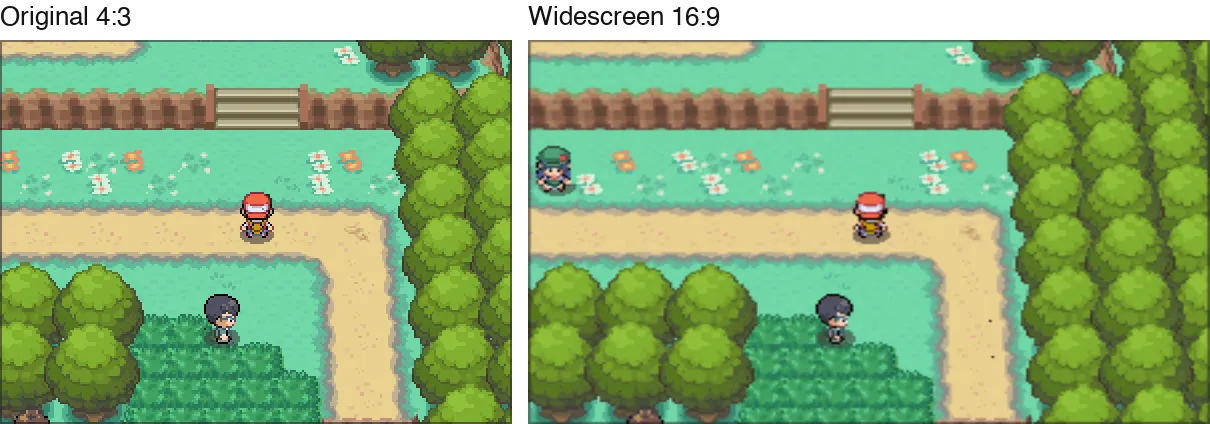
Widescreen ON
52023640 0000155502023640 00001C72D2000000 00000000Widescreen OFF (back to 4:3)
Disable the ON code first; never enable both together. Set your emulator’s top screen back to 4:3, then go through a door or reload your save.
52023640 00001C7202023640 00001555D2000000 00000000The code adjusts the 3D projection, including the overworld and the player model in the Bag. 2D graphics on the top screen are stretched by your emulator’s 16:9 display setting.
Real 3D inside buildings
Section titled “Real 3D inside buildings”Houses, Pokémon Centers, Poké Marts and almost every other interior use a flat camera: the room is drawn without perspective, so it looks 2D. Players have reported that some emulator renderers (a recent melonDS test build with Vulkan) draw these rooms wrongly. These codes give interiors a real 3D camera. Routes, towns, caves and the gyms with their own camera angle are not changed.
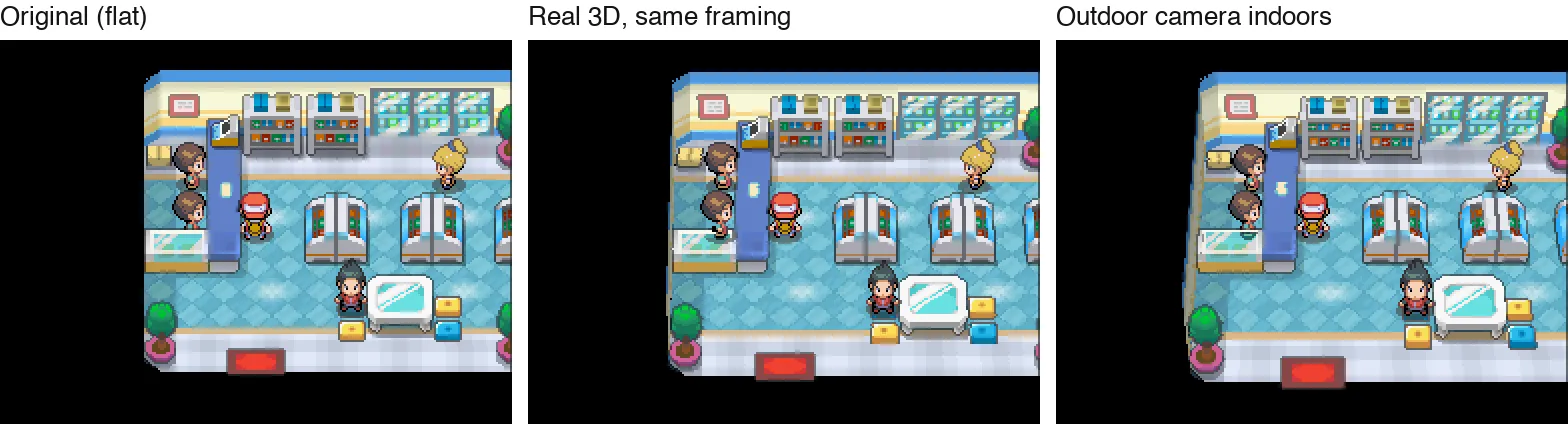
Real 3D, same framing. This looks almost like the original, with a little depth on walls and shelves:
521E9C54 B084B5F802205448 02810000022055D4 02810000D2000000 00000000Outdoor camera indoors. Rooms are shown at the same angle and distance as routes and towns:
521E9C54 B084B5F80220543C 0029AEC102205440 0000DD6202205448 05C1000002205450 004B0000022055C8 0029AEC1022055CC 0000DD62022055D4 05C10000022055DC 004B0000D2000000 00000000Use one camera angle everywhere
Section titled “Use one camera angle everywhere”The game has 17 built-in camera presets. Most outdoor maps use preset 00; a few gyms, towers and the Battle
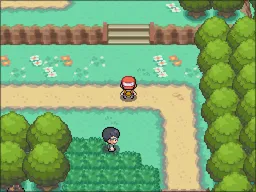
Frontier have their own. This code makes every map use the preset you choose. Replace XX with a preset number
from the pictures below:
621CFF30 00000000B21CFF30 0000000020001308 000000XXD2000000 00000000Outdoors (Route 1):
00normal outdoor camera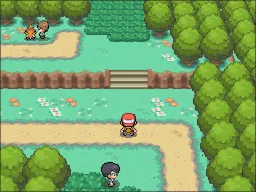
01Violet Gym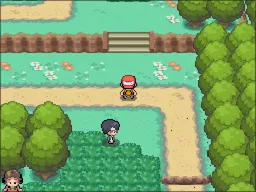
02lower angle (Goldenrod Gym)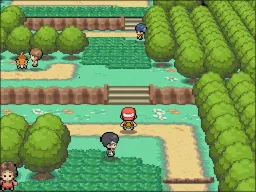
03very low (Lighthouse)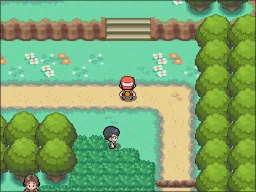
04flat interior camera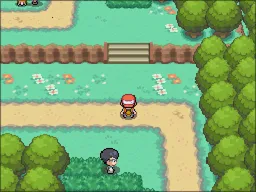
05Azalea Gym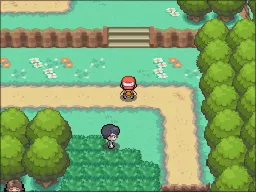
06slightly lower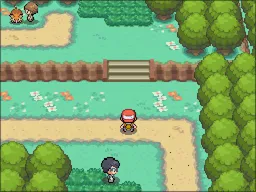
07Pokéathlon Dome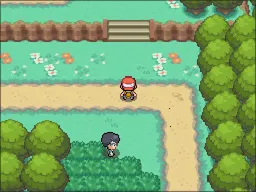
08Battle Frontier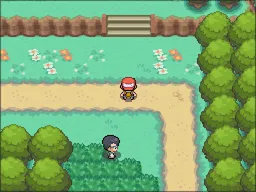
09top-down (Vermilion Gym)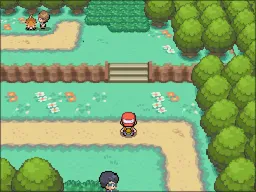
0Awide lens (Whirl Islands)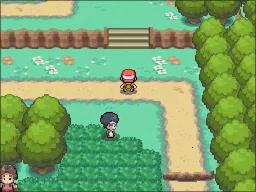
0Bunused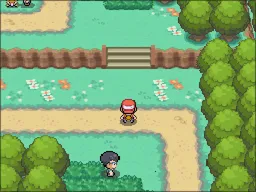
0CLugia’s cave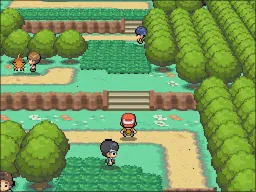
0DBell Tower roof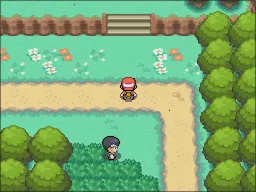
0Emost top-down (Fuchsia Gym)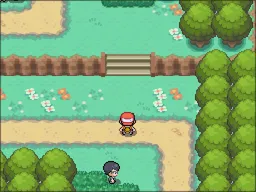
0Fflat (Dance Theater)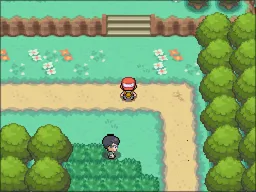
10Battle Tower
Inside buildings (a Poké Mart):
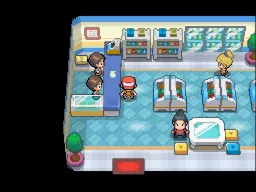
00normal outdoor camera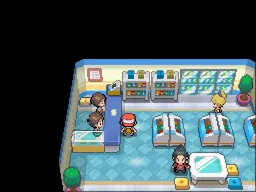
01Violet Gym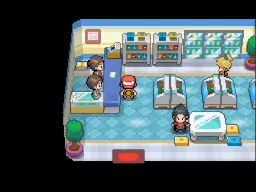
02lower angle (Goldenrod Gym)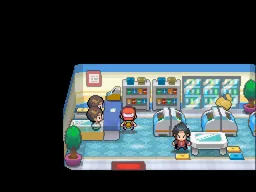
03very low (Lighthouse)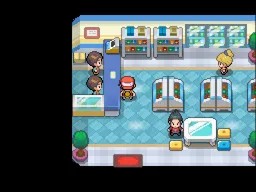
04flat interior camera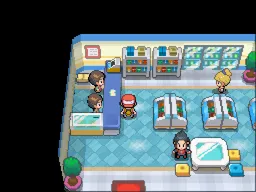
05Azalea Gym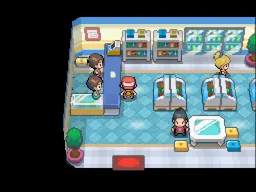
06slightly lower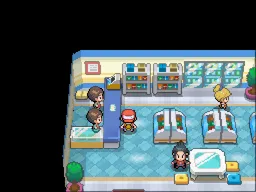
07Pokéathlon Dome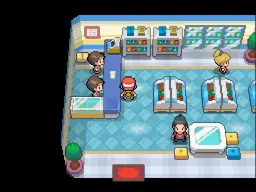
08Battle Frontier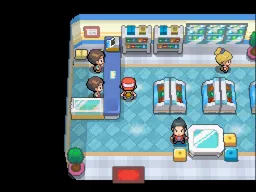
09top-down (Vermilion Gym)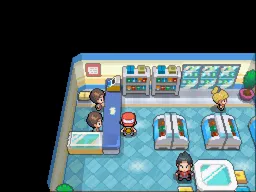
0Awide lens (Whirl Islands)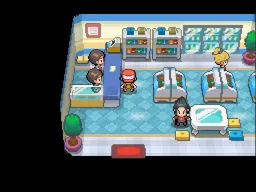
0Bunused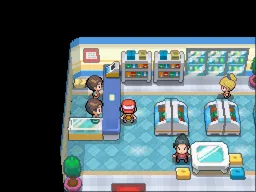
0CLugia’s cave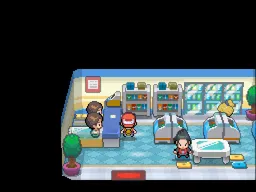
0DBell Tower roof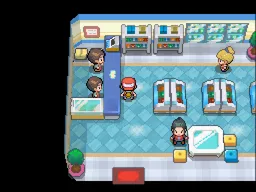
0Emost top-down (Fuchsia Gym)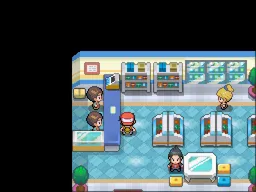
0Fflat (Dance Theater)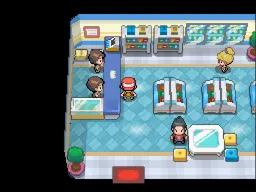
10Battle Tower
Good choices:
| Preset | What it looks like |
|---|---|
00 |
the normal outdoor camera, in buildings too |
02 |
a lower angle (40° instead of 49°) |
06 |
slightly lower, sees a bit further |
09 |
steeper, more top-down |
0A |
close-up with a wide lens |
03 |
very low and cinematic; you see the edge of the loaded map |
04 and 0F are the flat interior cameras. Numbers above 10 don’t exist: don’t use them.
Build your own camera
Section titled “Build your own camera”Pick where the camera changes, start from a preset and move the sliders. Then copy the code into your cheat list.
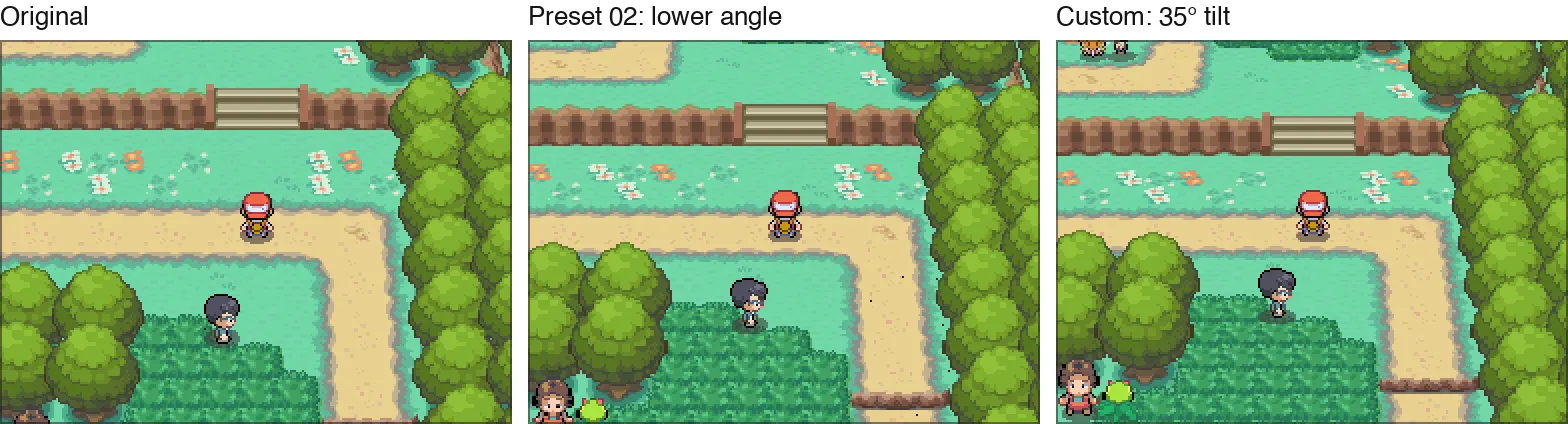
- Tilt is how far the camera looks down. The normal camera tilts 49°; lower values show more of what lies ahead.
- Distance zooms in or out. Field of view works like a camera lens: wider shows more, with stronger perspective.
- Draw distance: raise it when you lower the tilt or zoom out, or far-away ground gets cut off.
- The game only loads the area around you. Very low angles and big zoom-outs show the edge of the map, and people may appear late.
Good to know
Section titled “Good to know”- These codes were tested in an emulator (DeSmuME) on the English patch. They use standard Action Replay code types, but they have not been tested in melonDS, on a DS or with TWiLight Menu++ yet. If you try them there, please tell us how it went.
- The interior and preset codes change the overworld camera. Widescreen changes a shared 3D setting, including the Bag model. Tested wild battles and returns to the overworld worked with both code types; this is not an exhaustive test of every battle or animation.
- The first line of the building and custom codes (
521E9C54 B084B5F8) is a safety check: it makes sure the code only writes while you are in the overworld. Keep it.
The official site of the Origin HeartGold English translation. Patches are published only on our GitHub releases.
A free, non-commercial fan project. Not affiliated with or endorsed by Nintendo, Creatures Inc., GAME FREAK inc. or The Pokémon Company.
© 2026 Origin HeartGold English translation team. Guide text: all rights reserved — see licence.